The CRM for agentic engineers & vibe coders. Your agents build the project. Now they bill it too.

Create clients, log effort, issue the e-invoice, record the payment. With a prompt from Claude Code, Codex or Cursor.

Create account
npx -y @time-momentum/cli install
  • Try Pro for 30 days
  • No credit card
  • Claude Code, Codex, Cursor

Everything in your projects, in one place.

Time Momentum assigns every minute, every AI session and every dollar to a client and project and turns them into invoices, timesheets and reports.

  • Working time from a timer in the browser, on a Stream Deck or through your agent.
  • Appointments from Google and Microsoft 365, imported as time.
  • AI sessions through the hooks of Claude Code, Codex and Cursor, subagents included.
  • Commits from GitHub with the size of each change.
  • AI subscriptions and your own expenses per project.
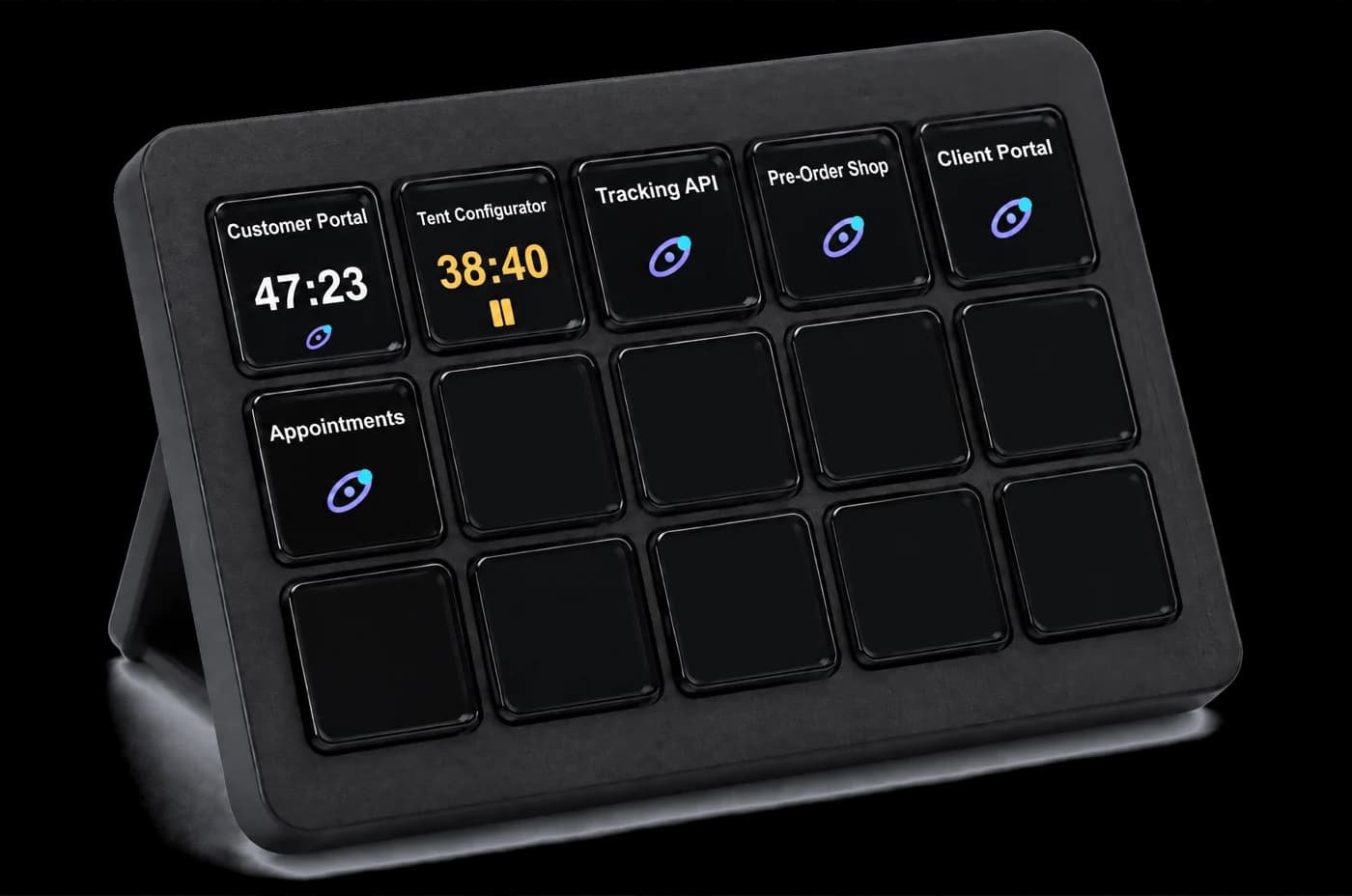
Track working time in the browser or on a Stream Deck.

One key press starts or stops a project's timer, and the web app shows it right away.

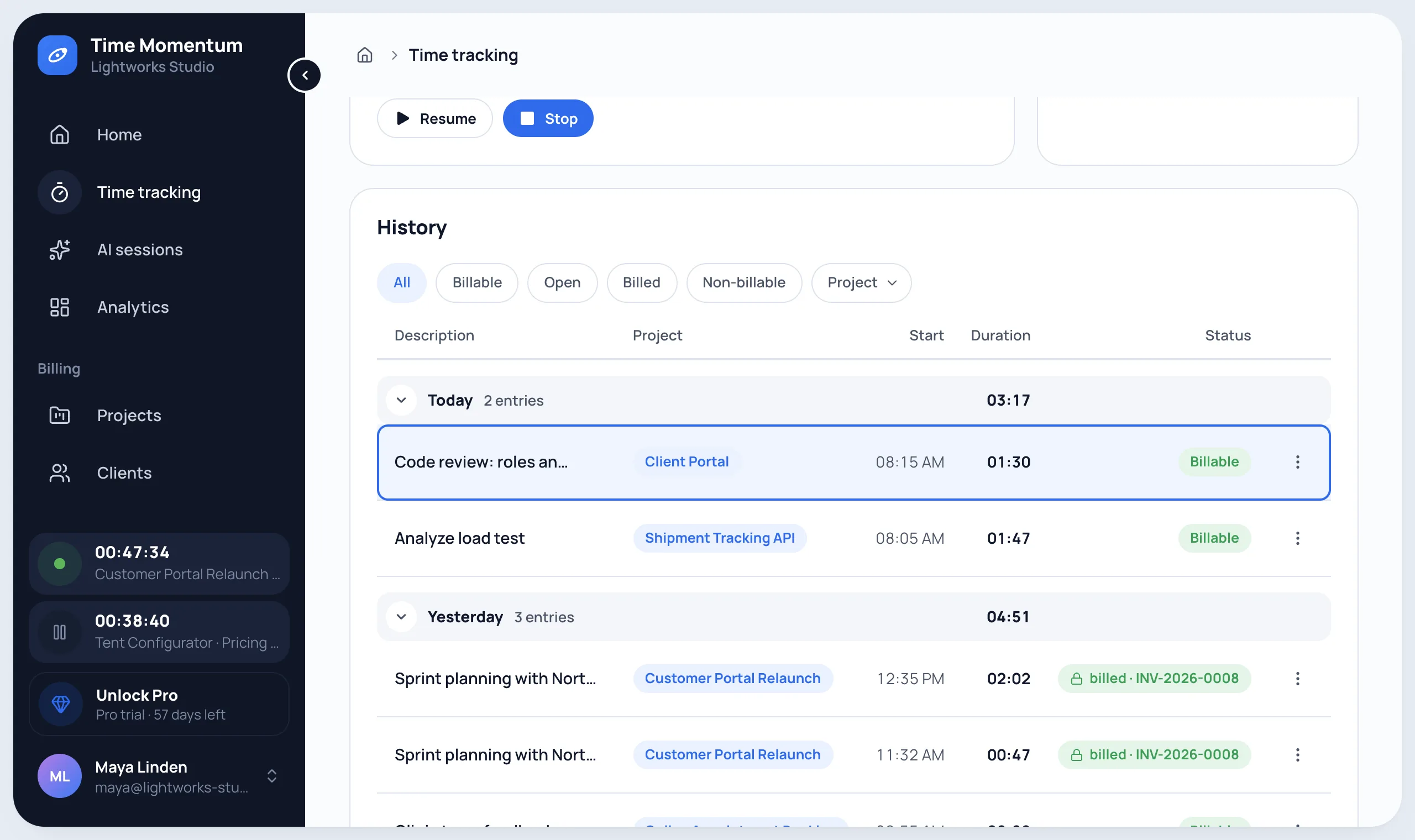
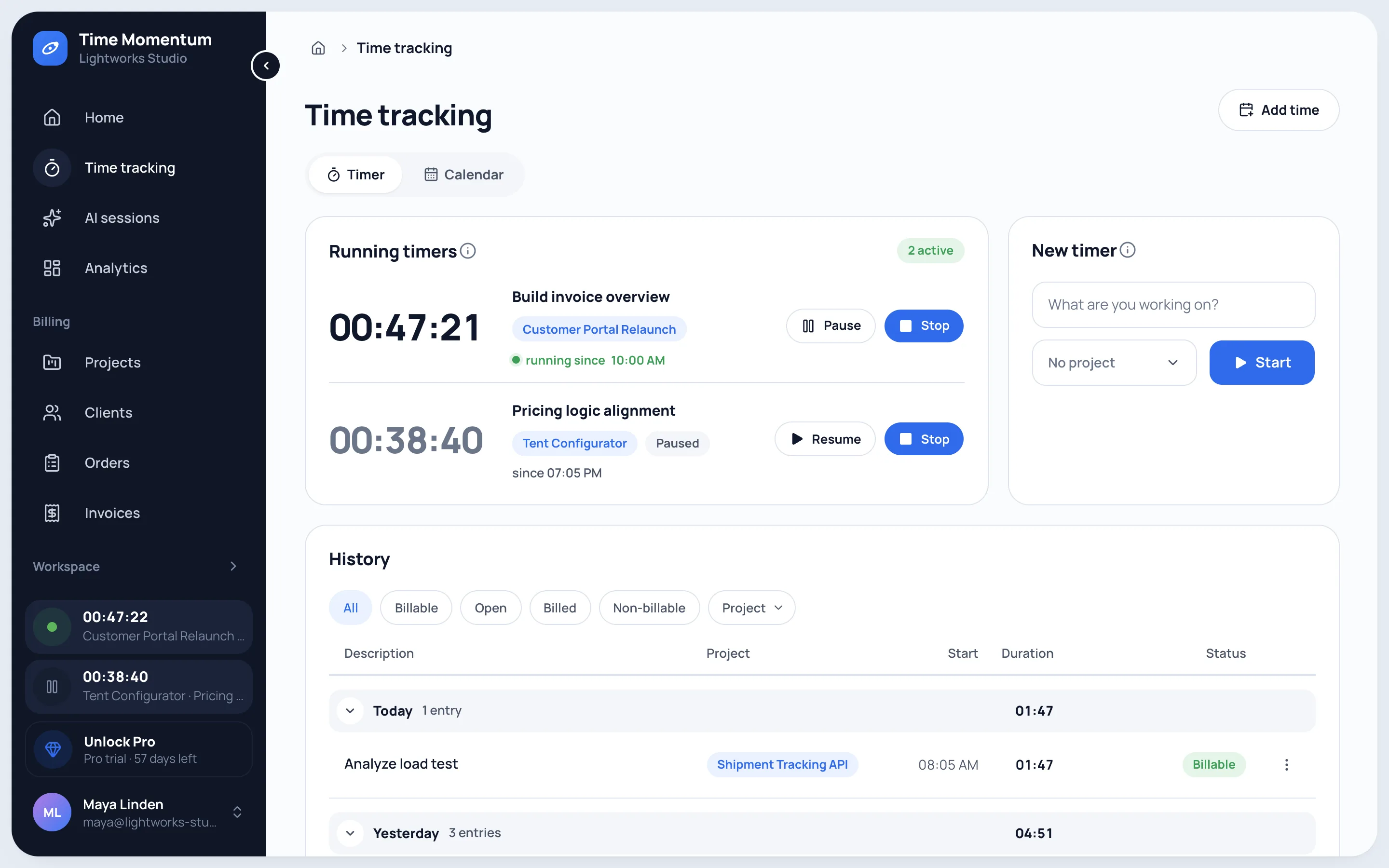
  • Several timers run at once, with pause and resume.
  • Drag times in the calendar's day and week grid.
  • Add and correct entries, billable or not.
Measure effort
Time tracking with two parallel timers, pause and stop, and the day-by-day history with billability
A Stream Deck with Time Momentum keys: Customer Portal Relaunch is running, Tent Configurator is paused, more projects are ready

AI sessions capture themselves.

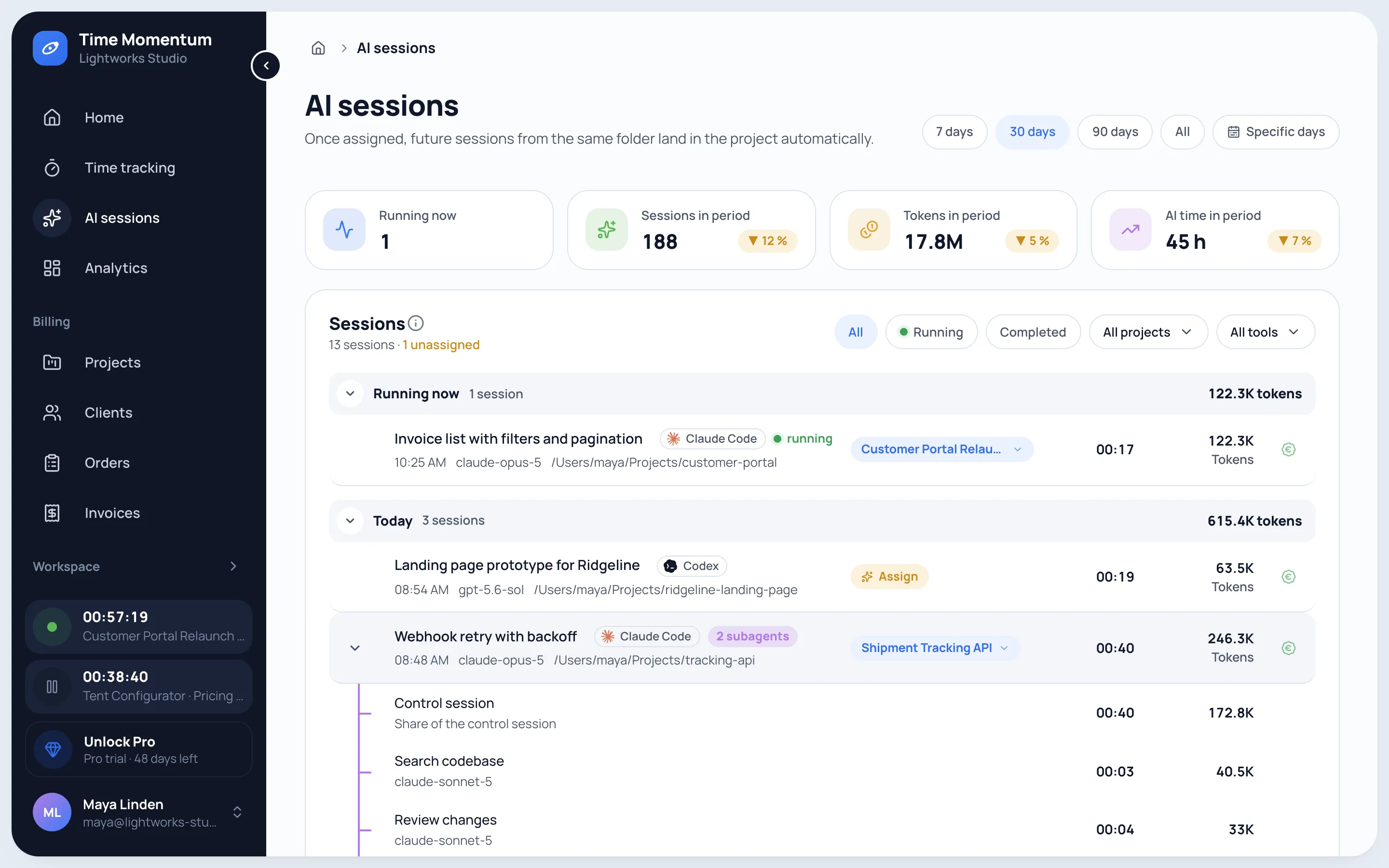
Every session lands in the list with project, runtime, tokens and cost, without you starting a timer.

  • Subagents appear expanded below their session.
  • Every session carries a title that records what happened in it.
  • When you set up, the past few weeks are filled in.
See progress
Automatically captured AI sessions from Claude Code, Codex and Cursor with expanded subagents, projects, runtime and tokens

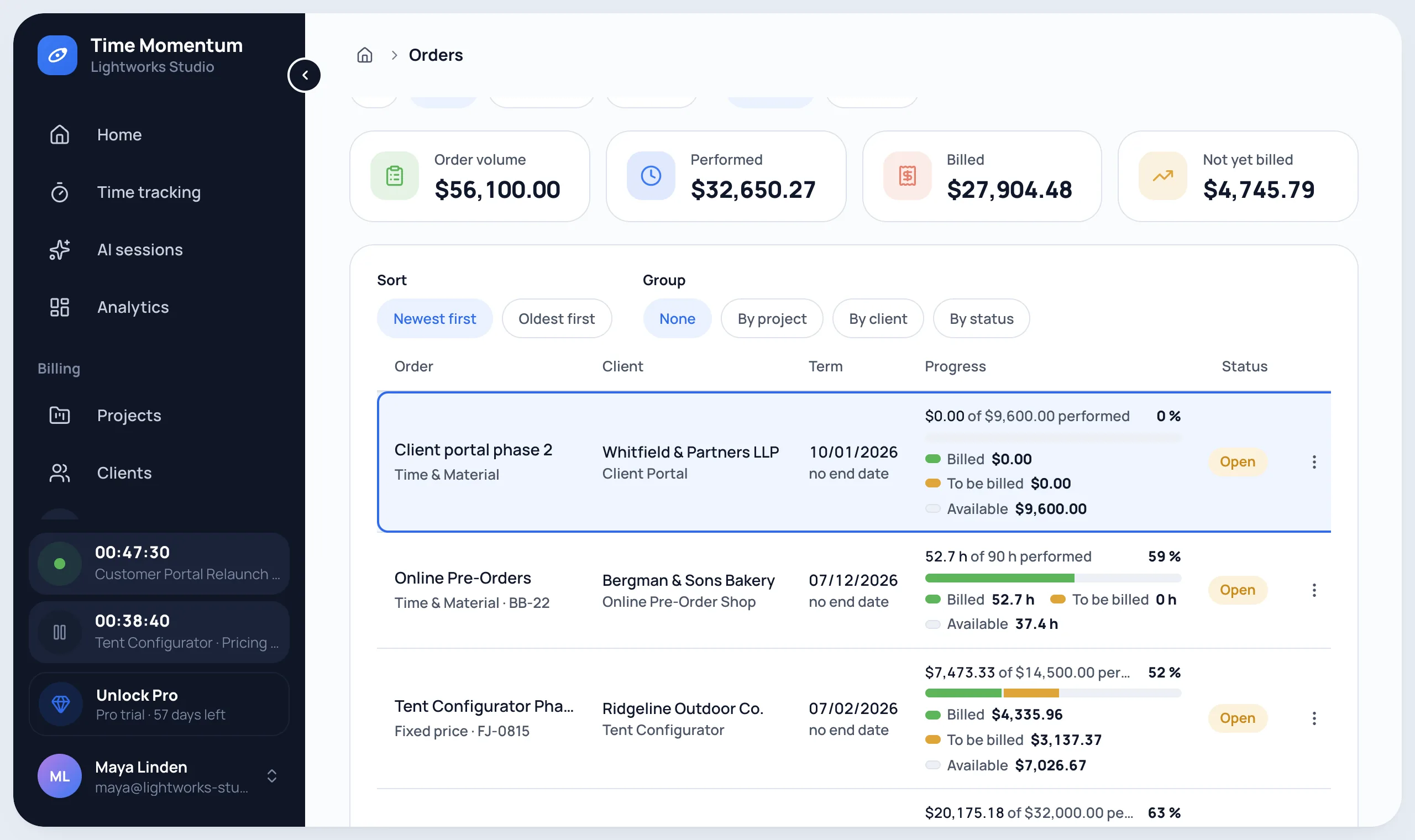
Clients, orders and budgets.

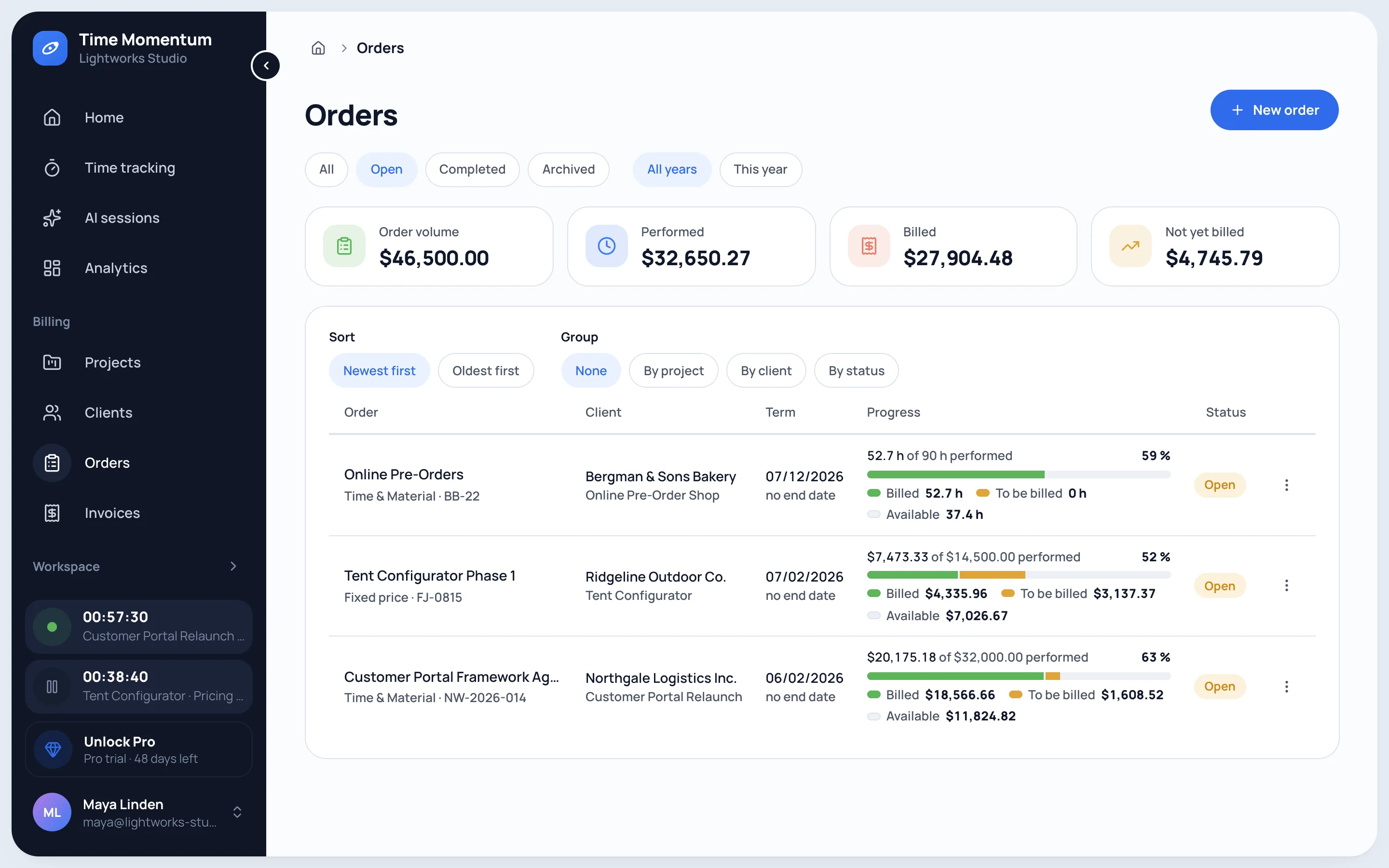
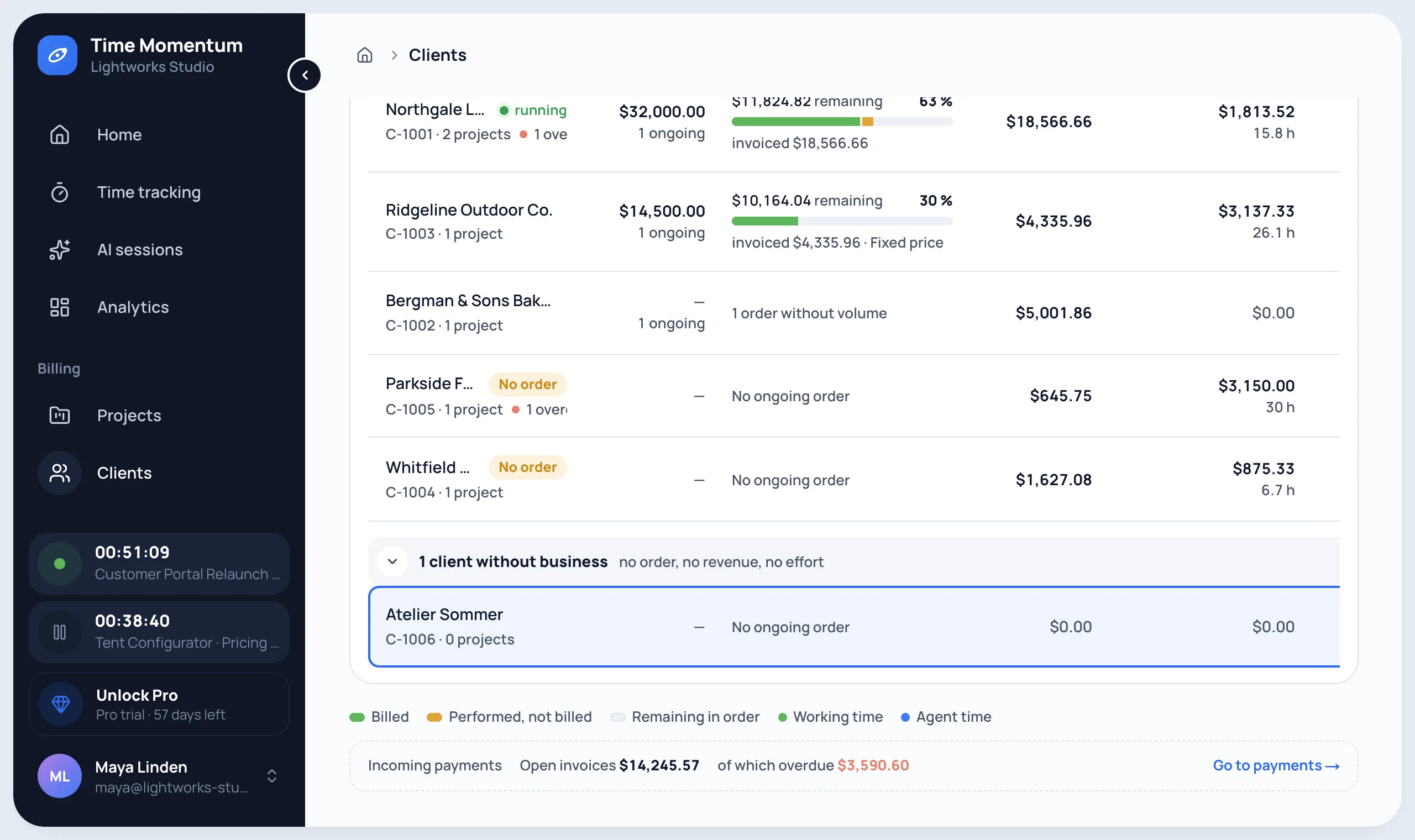
You always know what is ordered, used, billed and paid.

  • Time and materials, fixed price or pro bono, also across several projects.
  • Budget as volume or time allowance, with a notice from 80 %.
  • Deposits are deducted automatically in the final invoice.
Clients and projects
Order overview with order volume, work done and billed, and progress per order

Timesheets that show what went into the work.

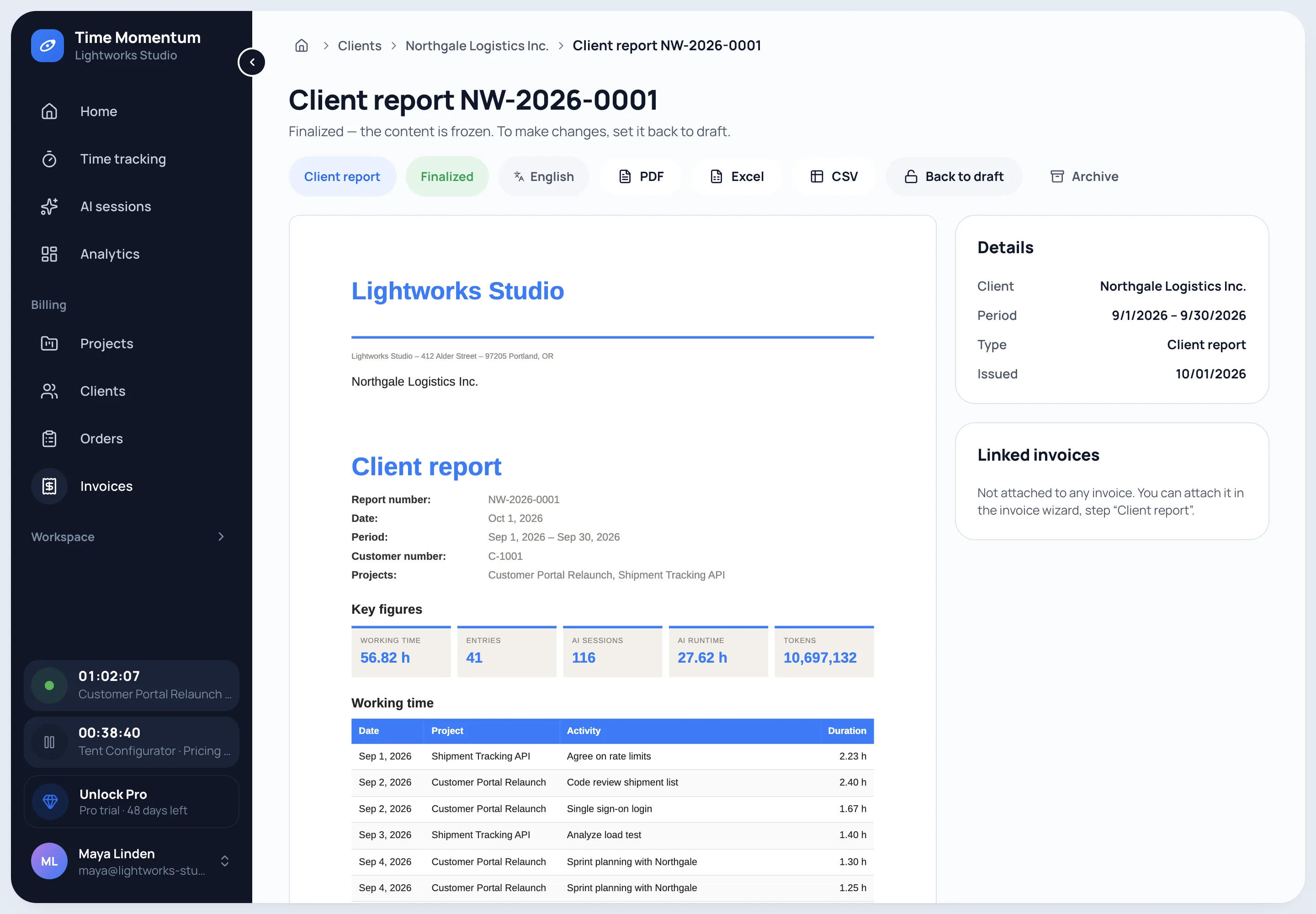
  • Working time, AI sessions, runtime, tokens, commits and progress.
  • Attached to the e-invoice, every part can be shown or hidden.
  • Show AI effort without billing it: tokens and costs can be switched separately.
Client reports
Finalised timesheet with key figures and a working-time table, exportable as PDF, Excel and CSV

E-invoices from everything still open.

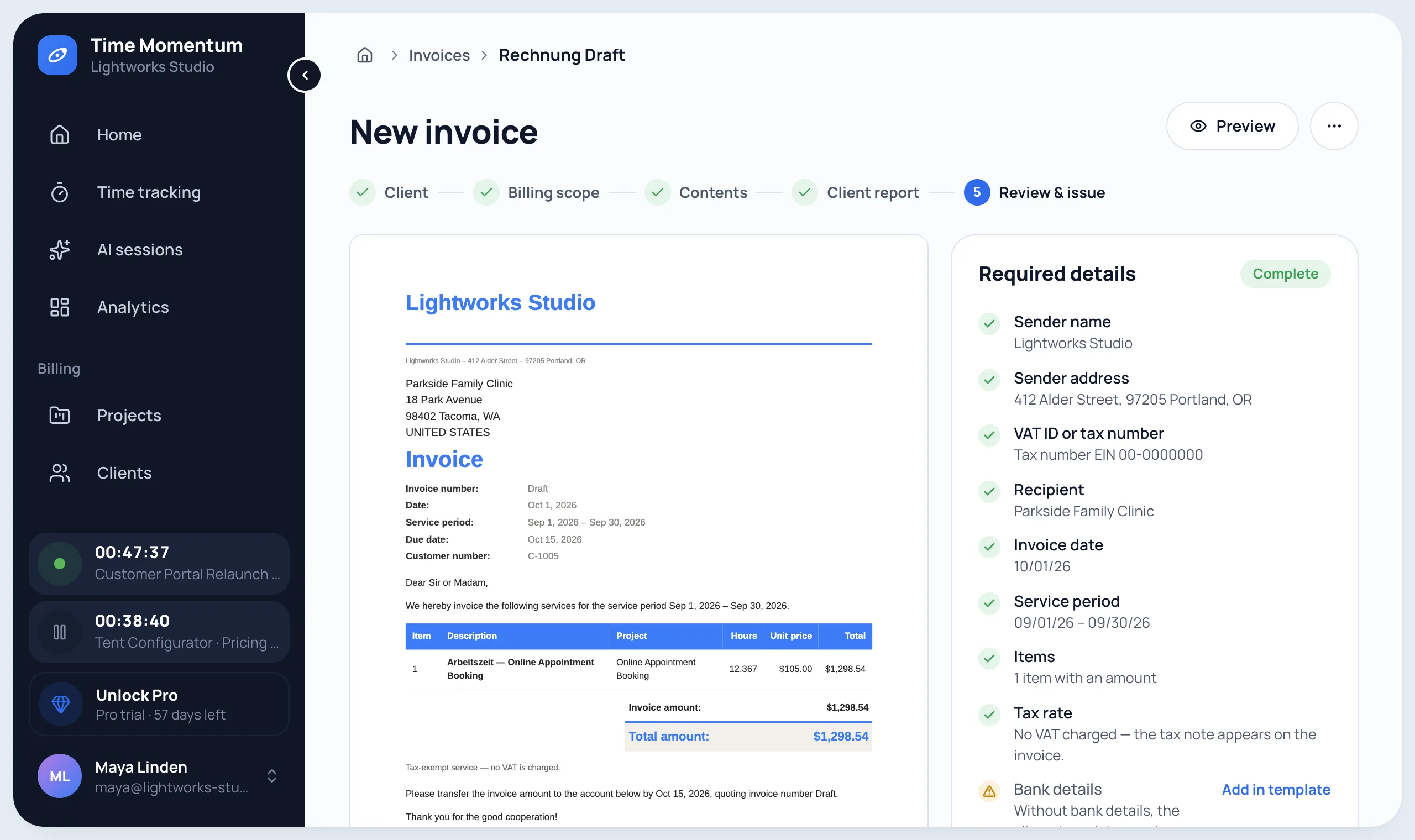
The invoice assistant collects working time, AI work and your own items for a period.

  • AI work at cost with a markup, at a price per million tokens or as runtime at an hourly rate.
  • As an e-invoice for businesses and public clients, with a payment QR code if you like.
About e-invoicing
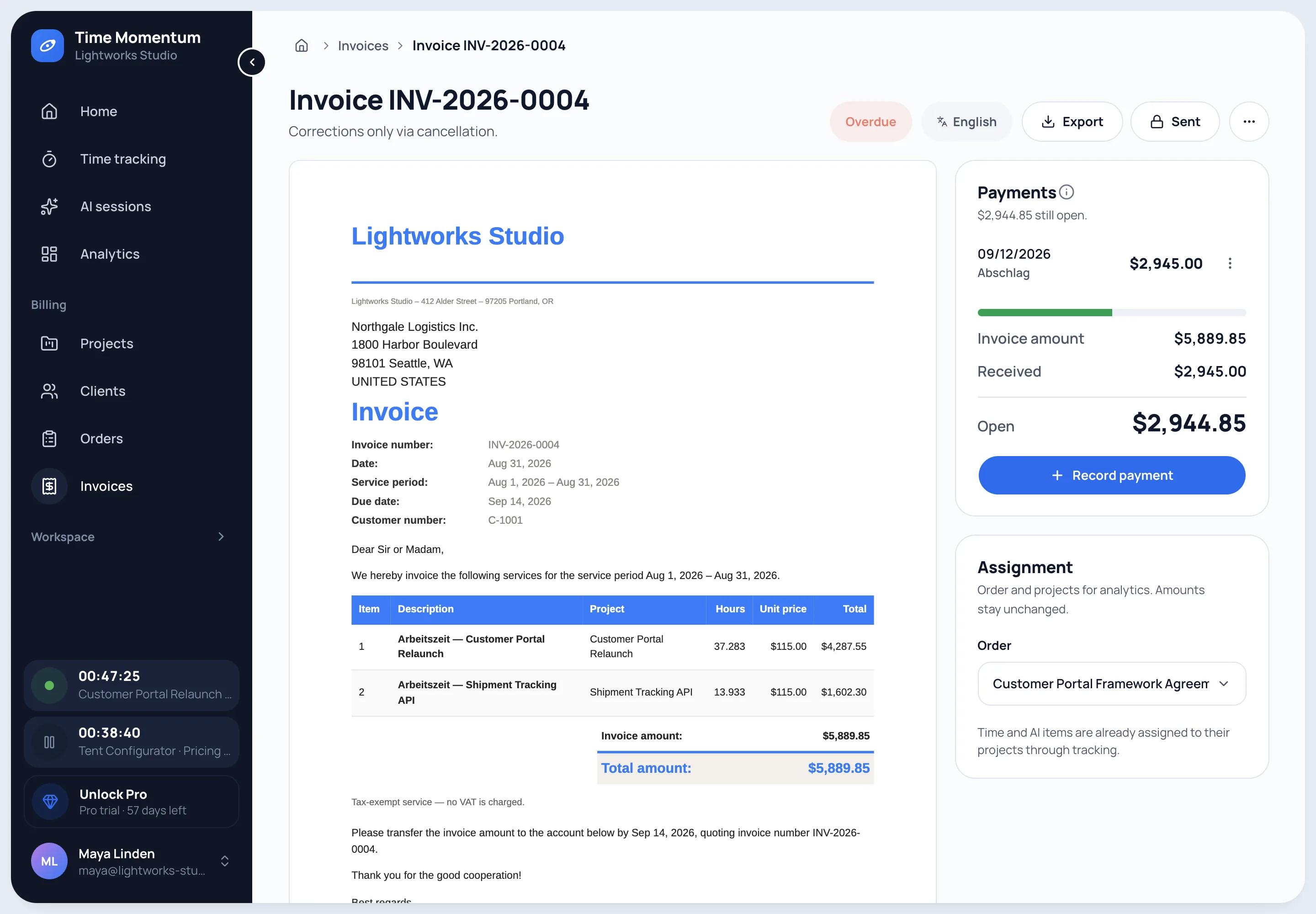
Issued invoice with preview, e-invoice validation and a recorded partial payment

Payments and outstanding balances.

  • Split one transfer across several invoices.
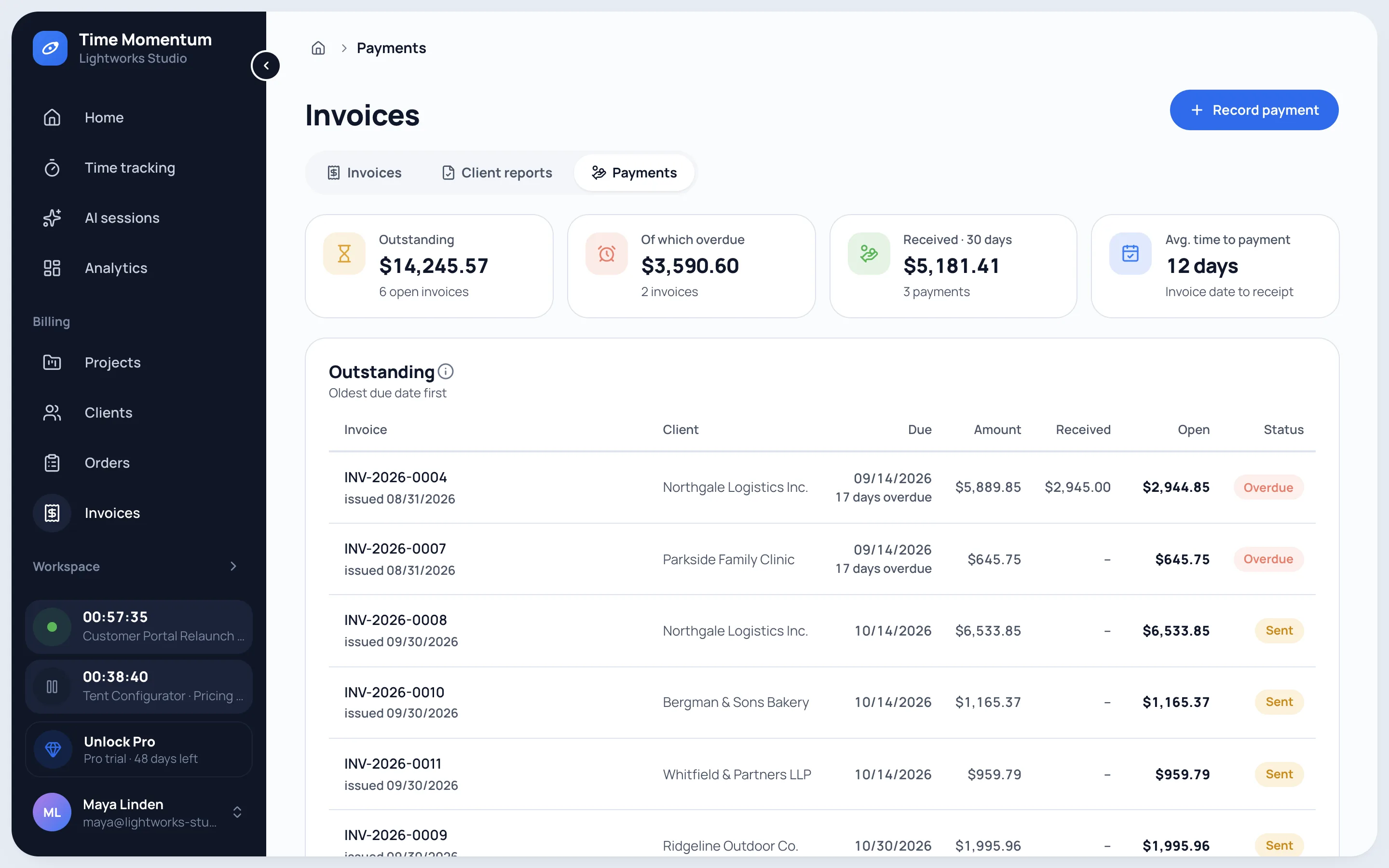
  • Overdue invoices first, with the days since they fell due.
  • Your day starts with what is due: deposits, budgets filling up, work ready to bill.
Payments overview with outstanding balances, overdue invoices and average days to pay

Profitability per project and client.

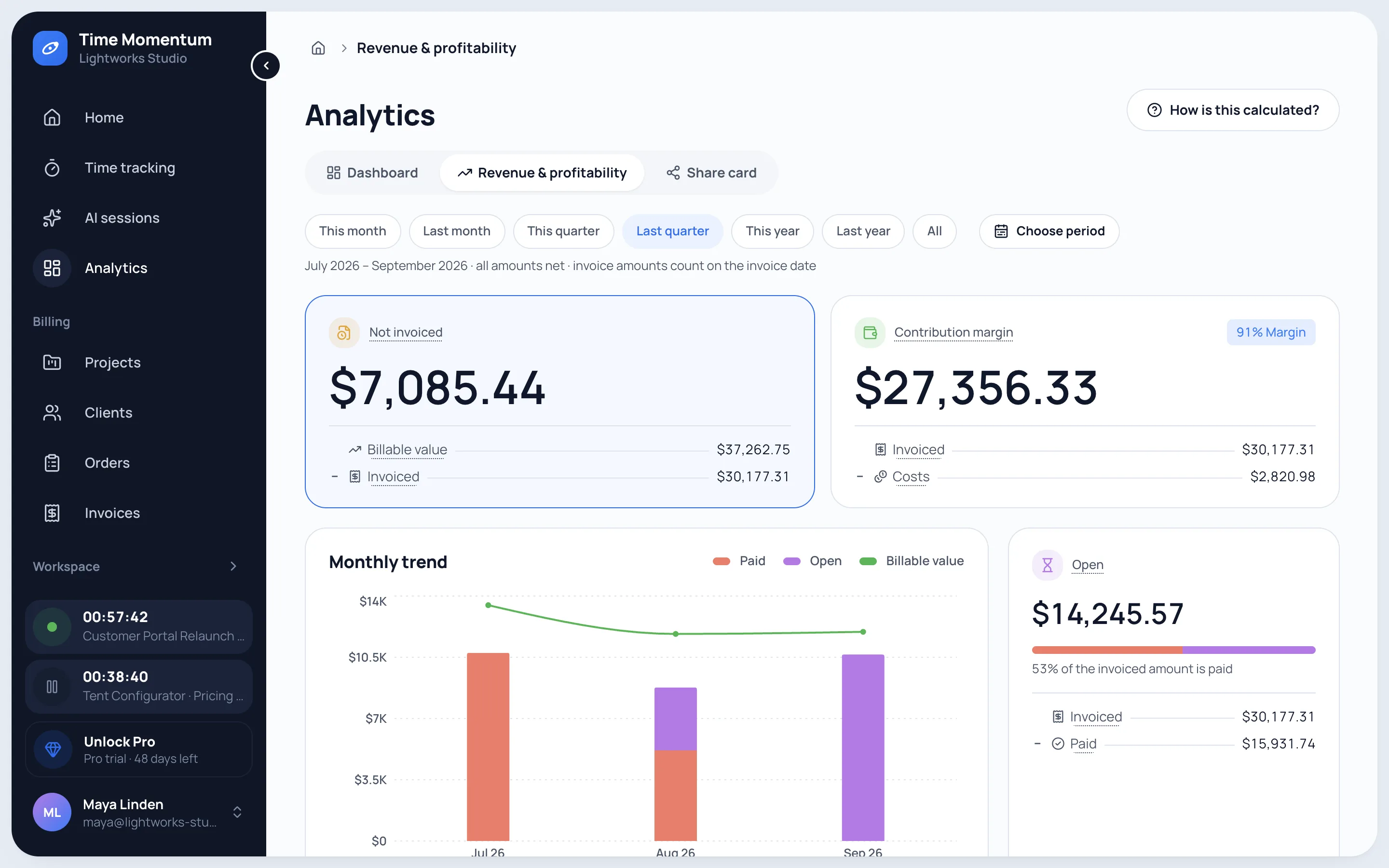
Value of work, revenue, costs and contribution margin for every project and client.

  • Fixed price: value of work by progress and the effective hourly rate, so your next quote fits better.
Billing and costing
Quarterly revenue and profitability with value of work, invoiced revenue, contribution margin and monthly trend

Capturing is free. Billing is Pro.

Try Pro for 30 days, no credit card. Afterwards you continue on Free automatically, with nothing locked and no data lost.

Try Pro for 30 days
FeatureFree€0foreverCapture and understandPro€15per user and month
or €150 a year, 2 months free
Bill, cost, disclose, automate
Unlimited time tracking
Full AI capture
AI reportinglast 30 daysfull history
Commits
CSV export
Profitability and orders–
E-invoices and payments–
Timesheets for clients–
Calendar with Google and Microsoft 365–
Agent access–
Create accountTry Pro for 30 days
All prices excl. VAT · for businesses onlySee pricing

Frequently asked questions

How do AI agents work with Time Momentum?

Through the command line tool tm. Your agent fetches its instructions and the command catalog itself. It can log time, create clients, projects and orders, build invoices and timesheets, record payments and analyze profitability. Invoices are issued, cancelled or deleted only with your explicit confirmation. Agent access is part of Pro.

Does Time Momentum create e-invoices?

Yes, with Pro. Invoices are issued as PDF with embedded e-invoice data (ZUGFeRD) or as pure XML (XRechnung), with a payment QR code if you like.

Is older AI data lost on Free?

No. Free has no time limit and nothing is deleted: AI data older than 30 days is only hidden and is back as soon as you switch to Pro.

Does Time Momentum replace my accounting software?

No. Time Momentum covers the way from effort to the paid invoice. Bookkeeping, tax returns and banking stay with your accounting software.

Try it for free now.

  • 30 days of Pro
  • No credit card
  • Then continue on Free